At a Glance
Avionté Chat centralizes recruiter-talent conversation within AviontéBOLD and the Avionté 24/7 app — so your team spends less time managing tools and more time engaging talent.
Every placement begins with a conversation. But when recruiter-talent communication is scattered across personal phones, email threads, and disconnected apps, those conversations become harder to manage — and easier to lose track of.
In staffing, speed matters. So does continuity. When communication happens outside your platform, maintaining both becomes harder.
Think about it: a recruiter leaves, and their text history goes with them. Another team member steps in with no context. A candidate follows up, but the original message was sent from a personal device no one else can access. Important details sit in inboxes instead of the talent record, while managers have limited visibility into recruiter activity and response rates.
These are not unusual scenarios. They are the natural result of fragmented communication systems — and they create friction at exactly the moments where speed and trust matter most. Without a centralized place for communication, maintaining a seamless candidate experience becomes significantly harder.
How Avionté Chat Centralizes Staffing Team Messaging
Avionté Chat changes that. Built directly into AviontéBOLD, it’s a unified messaging solution that brings all talent communication into one place: one-to-one conversations, mass outreach, and complete conversation history.
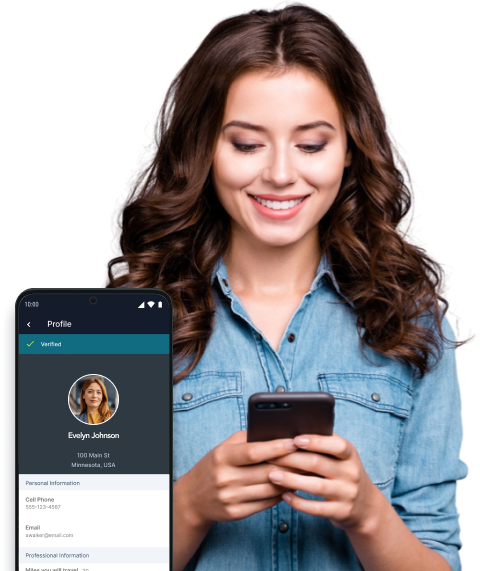
Chat introduces a Messaging Utilization Report for delivery and usage visibility, daily activity logging on to the talent profile, and a mobile-first experience designed to make it easier for talent to engage on their terms.
What does this mean in practice? It means one place to communicate and one place to track everything. Your team gets full visibility into every interaction, and talent gets a faster, more responsive experience from the people placing them.
Avionté Chat centralizes talent communications in BOLD so every conversation is captured, visible, and tied to the right record. No app-switching, no manual logging — the history is there automatically.
- Agency Chat assigns conversations to a User Group rather than to an individual recruiter. Every group member can read and respond, and talent sees the team’s Talent Facing Name — a branch or team name — instead of an individual’s name. When a recruiter is out, the conversation continues without interruption.
- Individual Chat preserves the 1:1 relationship between a specific recruiter and a talent — ideal for active placements or onboarding — while keeping the full record in BOLD where it belongs.
What Staffing Teams Get with Avionté Chat
The biggest value of Chat is not just messaging — it is operational control.
-
Agency Chat
Team-level conversations tied to a User Group. All members can read and respond, and talent sees the group’s Talent Facing Name — so your brand stays consistent even when recruiters change.
-
Individual Chat
A 1:1 thread between a specific recruiter and a talent, not visible to other group members. Keeps personal relationships intact while the record stays inside BOLD.
-
Mass Messaging
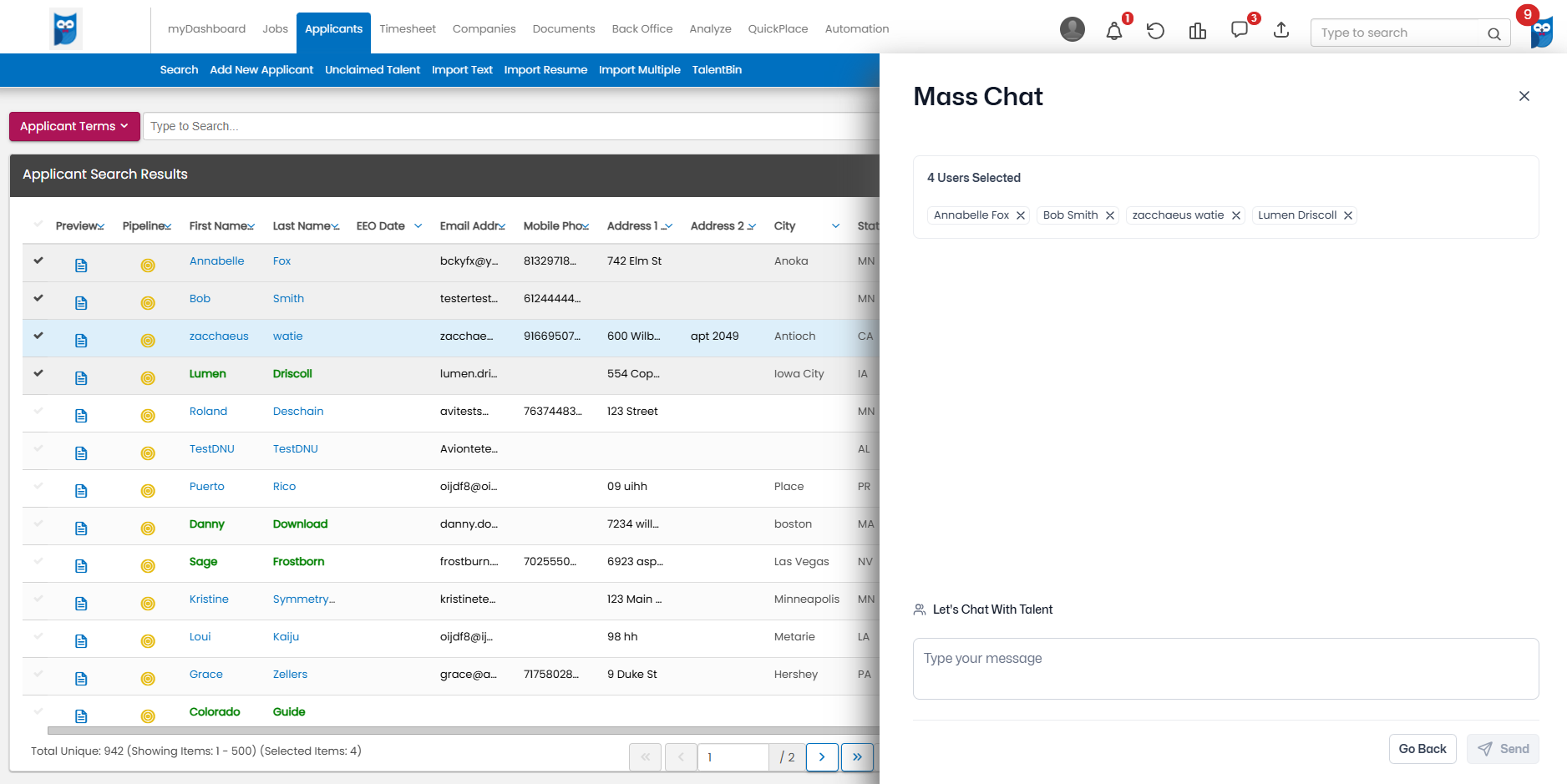
Send one message to up to 50 talent at once from Talent Search or a job’s candidate management screen. Each recipient receives an individual thread — not a group chat — so outreach feels direct, not broadcast.
-
Automatic SMS Fallback
‘If your team is using the Avionté 24/7 mobile app, messages are delivered via SMS automatically through Avionté SMS. No extra action is required from the recruiter.
-
Messaging Utilization Report
Track delivery rates and usage across your team for full visibility into how Chat is being used and where follow-up may be needed.
-
Centralized Chat History
All conversation history is tied to the applicant record and preserved indefinitely — including read-only access for archived talent.
-
Daily Activity Logging
One activity is automatically recorded on the talent profile each day when a chat interaction occurs, keeping the activity feed clean and readable.
-
Chat Export
Export individual conversations or a talent’s full chat history as a .txt or .docx file. Requires Chat Admin permissions.
The result is a faster, more connected communication process for recruiters, talent, and leadership alike. Teams can collaborate with full visibility, engage talent more efficiently, and keep conversations flowing across channels. With stronger reporting and a complete conversation history, agencies also gain the oversight and continuity needed to operate at scale.
How to Set Up Avionté Chat at Your Staffing Agency
To begin, navigate to a talent’s profile and select Chat in the Quick Actions panel. Select a User Group for Agency Chat, or your own user for Individual Chat.
Here’s what to confirm before you launch:
- Avionté SMS must be active and configured for your organization.
- Agency Chat User Groups need a dedicated SMS phone number assigned.
- Talent must have text consent enabled on their profile.
- SMS messages are limited to 160 characters and will truncate on delivery if exceeded — keep messages concise when SMS fallback is likely.
- When a recruiter leaves your organization, their Individual Chat history stays on the applicant record. Export those conversations before deactivating the account.
Start Communicating Where Work Happens
Every staffing leader knows communication drives placements. The challenge is making sure those conversations stay visible, organized, and actionable across the entire team.
Avionté Chat helps agencies solve that challenge by keeping every conversation inside BOLD, connected to the talent record, and accessible to the people who need it.
Because when communication is unified, teams move faster — and placements do too.
Learn More
Learn more about Avionté Chat in our Knowledge Base for full setup details, including User Group configuration, SMS number assignment, and Chat Admin permissions.