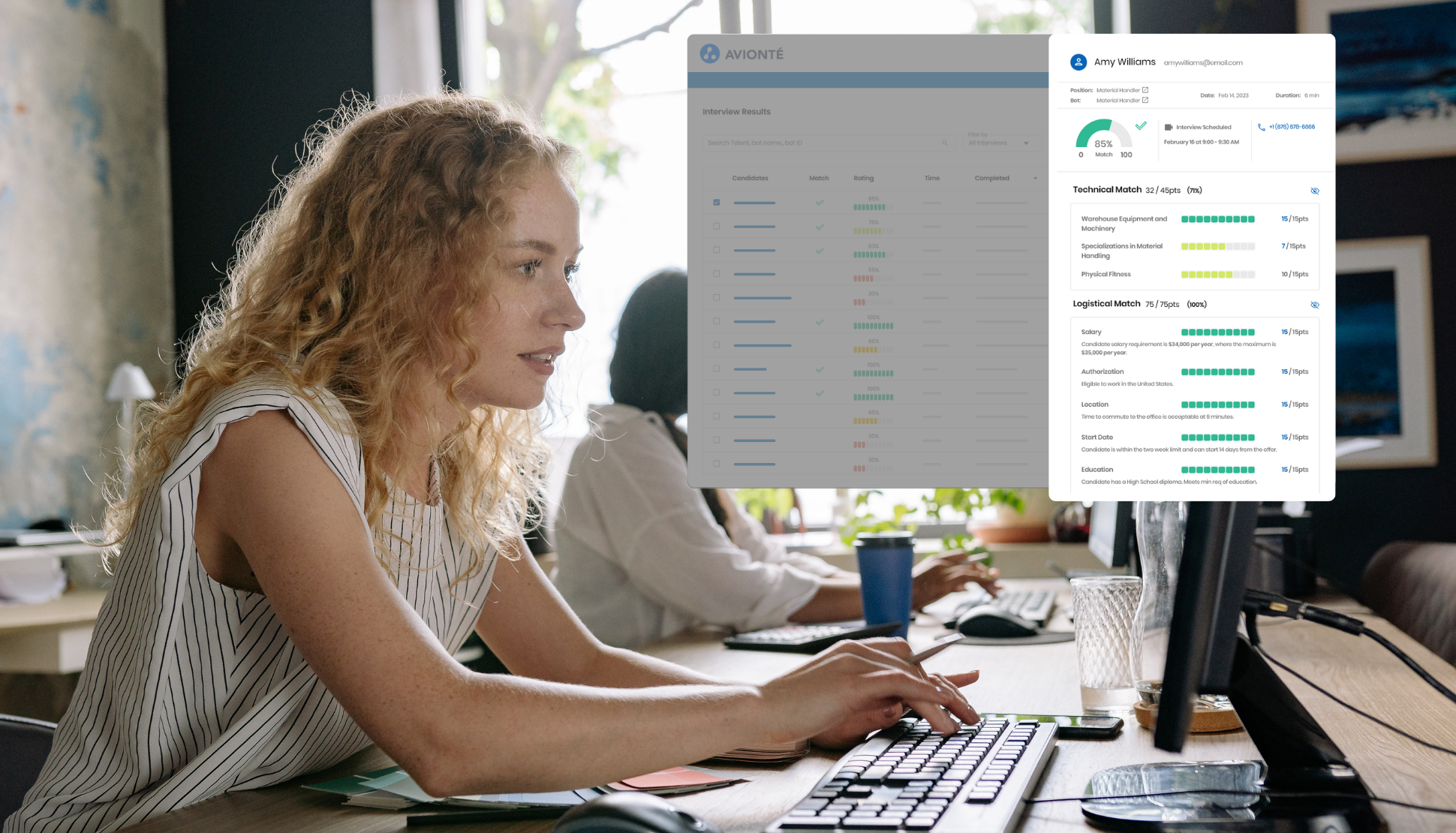
The right interview can make or break a placement. It’s where skills, experience, and fit are fully assessed. Great interviews aren’t just a step in the hiring process: they’re the foundation for every effective staffing decision.
But preparing for effective interviews takes time. Evaluating technical skills, cultural fit, and problem-solving abilities — while tailoring questions for each candidate — can quickly become a time-consuming process.
Creating generic question lists can help recruiters work faster, but they often miss critical details. While building custom scripts from scratch delays your hiring process, one-size-fits-all interviews lead to blind spots. Key skills go untested. Important insights fade before they’re documented. And without structured notes, teams depend on impressions rather than evidence.
Interview preparation shouldn’t be a tradeoff between speed and quality.
How AviontéBOLD Solves Interview Challenges for Staffing Teams
Leading agencies are shifting away from manual interview preparation. AviontéBOLD’s AI-generated interview scripts eliminate delays by creating customized, 24-question scripts in seconds—tailored to each candidate’s profile and your job requirements.
With a single click, the system analyzes both inputs to produce a structured script organized across eight professional evaluation categories:
- General, Skills & Expertise, Experience & Achievements
- Cultural Fit & Values, Problem Solving & Critical Thinking
- Communication Skills, Motivation & Career Goals, Logistics
From there, you remain in control. Edit wording, rephrase questions, add new AI-generated prompts, or remove what isn’t relevant. Every script adapts to your process and your candidate.
What’s Included: AI Interview Software Features for Staffing Teams
To help recruiters move faster without sacrificing quality, AviontéBOLD delivers a set of AI-powered interview capabilities designed specifically for staffing workflows.
- AI Script Generation
Generate 24 targeted questions across eight categories based on job requirements and candidate profile.
- Real-Time Customization
Edit wording, rephrase for tone or focus, remove irrelevant questions, or expand sections for deeper evaluation.
- Live Note Capture
Record candidate responses directly within the script during the interview — no separate tools required.
- AI-Powered Summaries
Generate instant evaluations with a Global Summary, section-level insights, and transparent AI reasoning.
- Centralized Storage
Scripts, notes, and summaries are saved within the Talent Profile under the Interviews tab with status tracking (Pending → Built → Interviewed → Complete).
How to Use AI Interview Scripts in Your Staffing Workflow
Getting started with AI-generated interview scripts is simple and fits seamlessly into your existing recruiting workflow, letting you generate and use customized questions in just a few steps.
- Navigate to the Talent Profile, select the Interviews tab, and locate the role in the In-Person Interviews section. Click Action to generate the script.
- Review and customize questions. Edit, rephrase, or expand sections, then click Save Interview Script (status updates to Built).
- During the interview, capture responses directly under each question and save regularly.
- After the interview, click Save (status: Interviewed), generate the summary, review, and click Complete Interview.
The Bottom Line: Secure Better Interviews Quickly with Avionté’s AI-Generated Scripts
Interviews are the key moment to assess talent, uncover potential, and make the right placement — and getting them right affects both client satisfaction and long-term staffing success. AI-generated interview scripts remove preparation delays, make candidate evaluations immediately accessible, and ensure every conversation captures the insights that matter.
With structured questions, live note capture, and instant AI-powered summaries, interviews move from a 30-minute bottleneck to a fast, consistent, and reliable process — helping staffing teams place the right candidate every time.
Ready to get started?
Visit the Interview Scripts guide in the Knowledge Base for setup instructions or join the Community Forum to connect with other Avionté users.